Download Display Link Manager for MACS to use dual monitors with a docking station
Download Display link Manager here:
DisplayLink Manager Graphics Connectivity 1.10.3 | Synaptics
More detailed info on the installation process:
DisplayLink Manager
DisplayLink Manager Graphics Connectivity
Sequoia 15, Sonoma 14, Ventura 13, Monterey 12
Release: 1.10.3 | Aug 27, 2024
Information about macOS 10.15
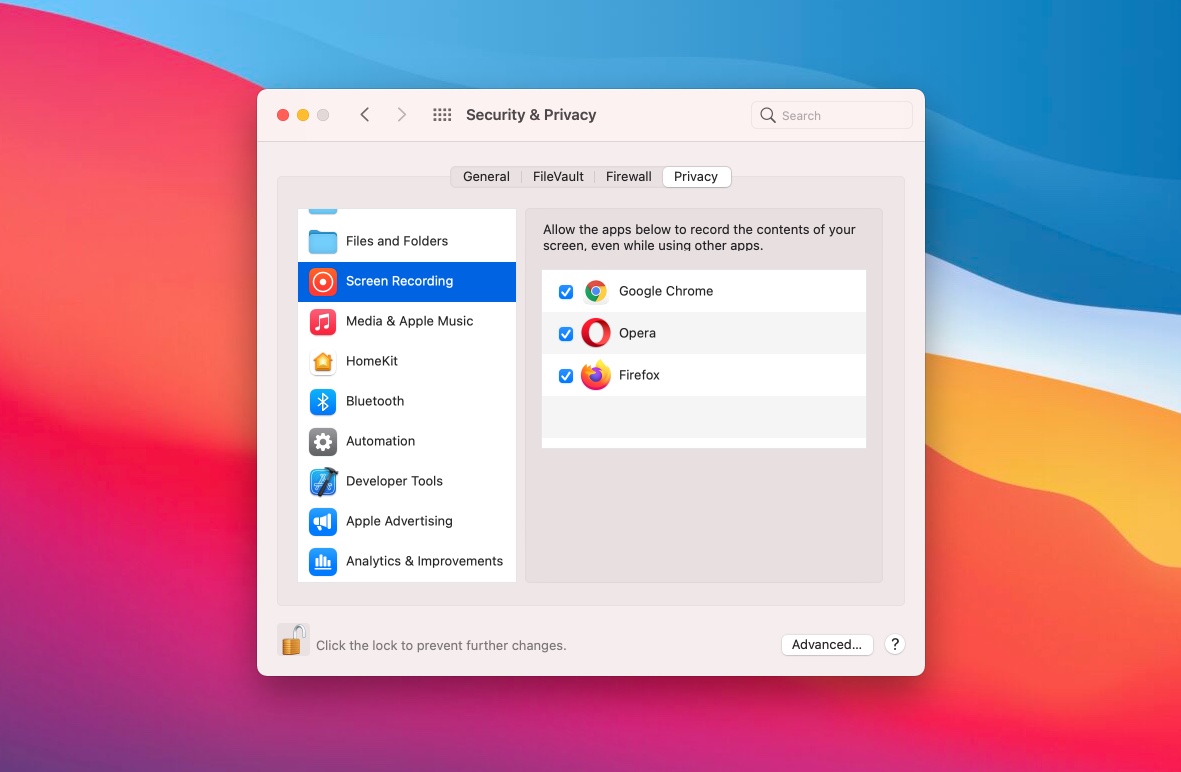
Some users updating to 10.15 have found their DisplayLink devices have stopped working. 5.2 software is designed to run on Mac OS 10.15, but the OS can disable our kernel extension during the update. Please check the kernel extension is enabled and screen recording is also enabled, to ensure DisplayLink enabled devices continue to work when migrating to 10.15.
To enable Kernel Extension:
Hold the power button at startup to enter into One True Recovery (1TR) mode, then downgrading to Reduced Security and checking the box to enable kernel extensions.Feb 18, 2021
To enable screen recording is enabled: Go to Finder - System preferences - Privacy and Security - Screen Recording - Select Dispaly link Manager as the application to enable screen recording
Related Articles
DGH Standard IT Equipment
DGH Standard Equipment This document is a reference list of standard items for ordering for specific IT needs within DGH. Each category should have at least one recommended option and may have other secondary options in cases where additional product ...Setup the Eduroam WiFi Network from a DGH Windows Laptop
What is Eduroam? Eduroam is a secure, encrypted Wi-Fi network available at the UW, and the preferred Wi-Fi connection method for UW students, faculty and staff. Eduroam ('education roaming') a global wireless network access service for research and ...Adding Ricoh printers (Mac)
Note: In order to add printers or to print to the devices at HRC or NJB, you must either be on a campus network connection or be connected to the UW VPN, Husky OnNet. Follow these steps to add one of the shared Ricoh printers to your Mac. In order to ...Adding Ricoh printers (Windows)
Automatic Installation Note: In order to add printers or to print to the devices at HRC or NJB, you must either be on a campus network connection or be connected to the UW VPN, Husky OnNet. For Windows, there are installation applications that can ...Restoring Access to Google Drive files/folders for Departed Employees
If a person leaves the UW, their NetID is deactivated following the last pay period after their final day. At that time, the services attached to that NetID will be deleted, including files/folders owned by them individual using Google. If there are ...